A few questions in. A finished, checked website out.
Answer a few multiple-choice questions and your agent builds the website. It opens the site in a real browser to check it at phone and desktop size, and puts it online when you say yes.
You answer once, hence the name. It’s a free agent skill, MIT-licensed.
What it takes care of.
It covers the work before the site goes live and the small changes after.
-
For people who aren’t designers, from the first question to the live site.
You don’t need design words for the questions. Once you’ve answered, it draws a few ideas using your own name, so you can point at one instead of describing it, and one of them is always a classic layout. At the end it publishes the site and checks the live copy.
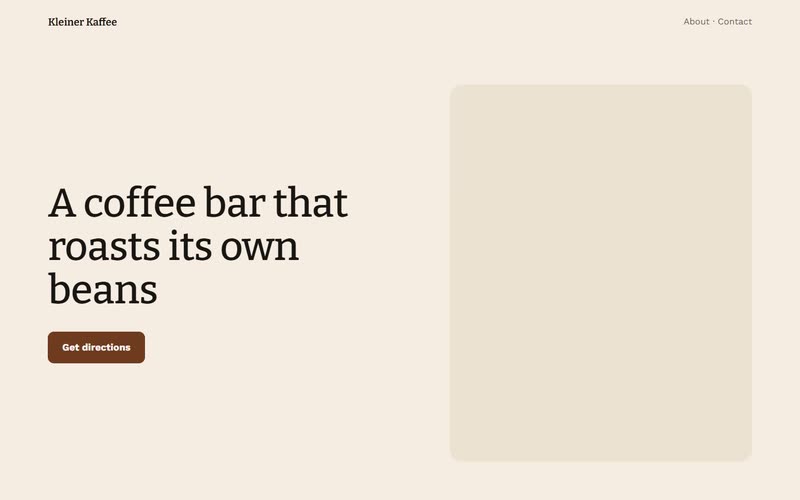
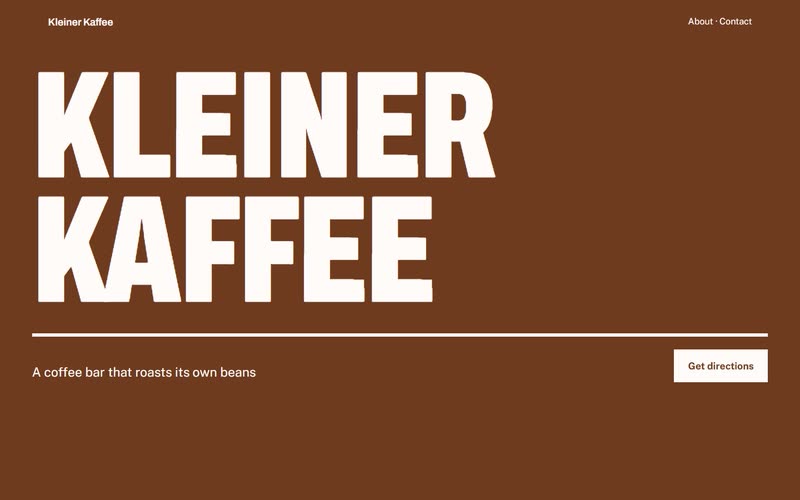
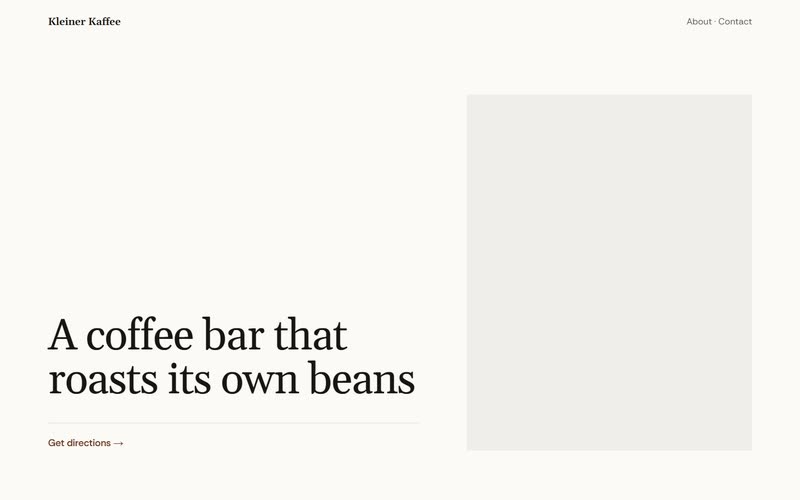
Not sure how it should feel? Here one café’s name and line are drawn Warm, Bold and Quiet. You just point at one. -
Checked before it goes live.
There’s an audit at the end, and the run doesn’t stop until it passes. The audit looks at the link previews, tries every link, runs axe-core’s accessibility rules and measures how much a first visit downloads. I also had it film the motion, because something that jumps only shows up over a few seconds. A German business gets an Impressum and a privacy page as well. Whatever fails gets fixed, and the audit runs again until it says “Ready to ship”.
The audit, before it hands over
- Title, description and link previews
- Every link, inside the site and out
- Keyboard focus, contrast and axe-core’s rules
- The weight of a first visit
- Motion, filmed: nothing jumps, nothing loops forever
- An Impressum and privacy page, where the law asks
Ready to ship or it doesn’t go online.
-
Easy to keep up to date.
Opening hours, prices and events sit in one file. Say you’re closing on Christmas Eve: you tell your agent “We’re closed on the 24th” and it takes care of it. Each change is saved, so you can undo it later.
We’re closed on the 24th.
site.json
"closed": [{ "from": "2026-12-24", "to": "2026-12-24" }]Kleiner Kaffee · Visit
- Tue–Sat
- 08:00–17:00
- Sun
- 10:00–16:00
- Mon
- Closed
Closed on Thursday 24 December
Your agent turns that sentence into one new line in site.json. The page and the opening hours that search engines read both come from that file, and the change is saved with the note “Closed on 24 December”.
One run, start to finish.
I made up Kleiner Kaffee for this run, a coffee bar in Saarbrücken with eight seats and a drum roaster. Here is what the run showed, in the order it happened.
-
It asks.
The owner clicked through the multiple-choice questions and then sent one message with the address, the seats and the roasting day. That was the whole input, and nobody wrote a prompt.
“Kleiner Kaffee, 8 seats, Röstergasse 12, Saarbrücken … Roasts its own beans every Tuesday in a 5 kg drum roaster … No photos.”
-
It thinks of three ideas.
Before it wrote any code it wrote a brief, which is a plain text file about the café and what its site has to do. It took its ideas from there and drew them with the café’s own name and words, so the owner wasn’t looking at dummy text. For a Warm site like this it recommended the classic layout, with the roaster big beside the headline and the hours and address under it.
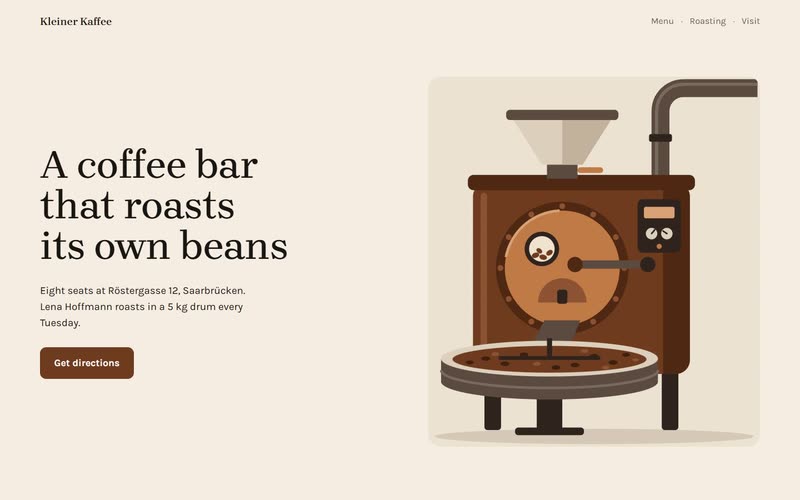
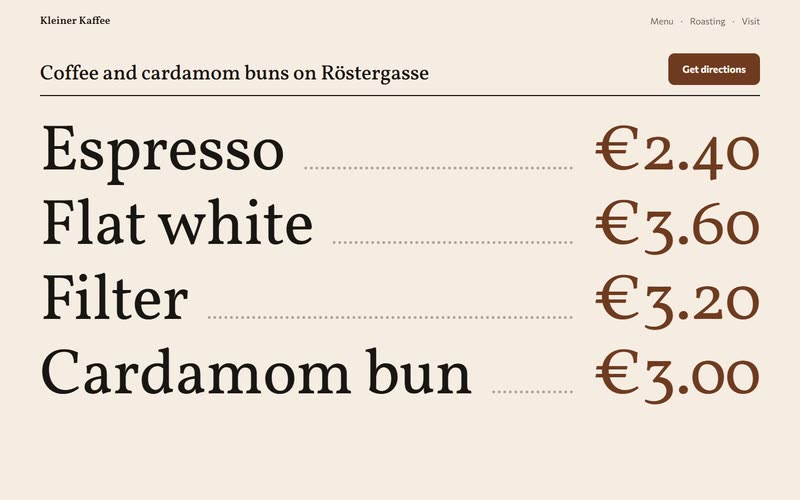
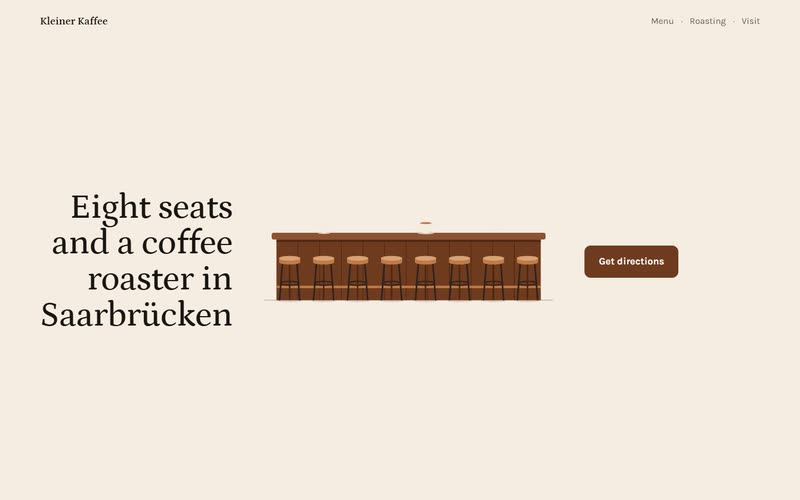
A is the one it recommended. -
It shows three first screens.
Next it built the top of the page a few different ways, each at phone and desktop size, so the owner could see every version on a phone as well as a laptop. One of them is always the classic, which here meant a simple split. Normally it would use photos, either the owner’s or free ones it finds, but the owner had said there were none, so the roaster stayed a drawing.
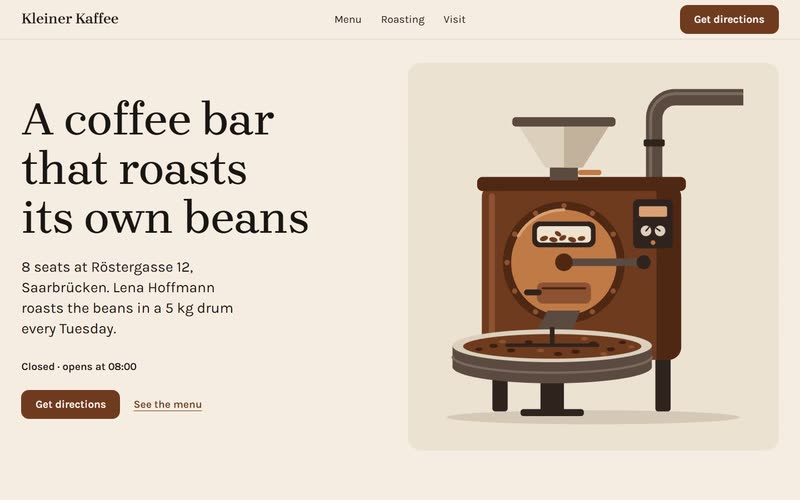
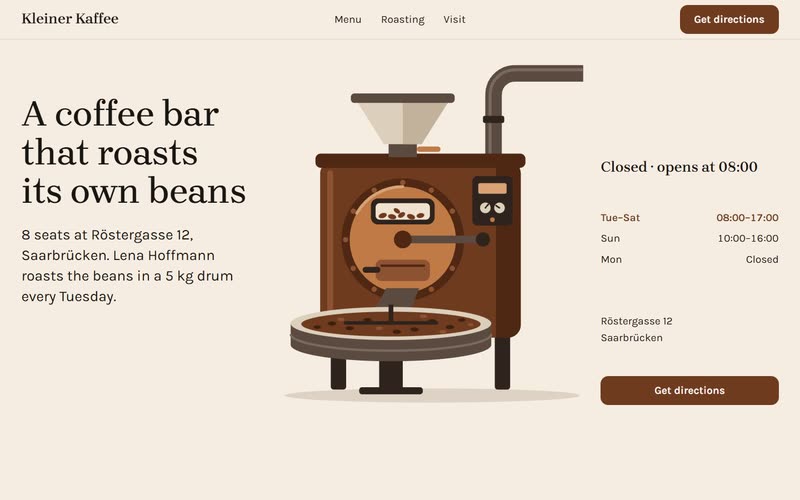
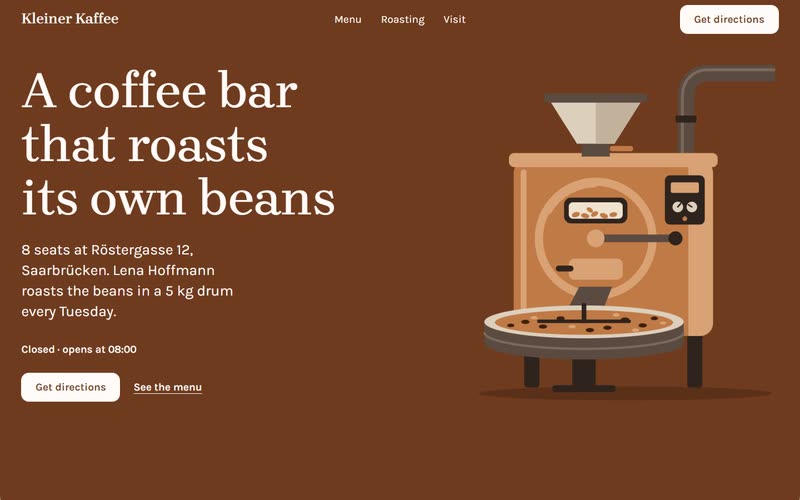
The owner picked A, the classic split. -
It looks, and a reviewer checks.
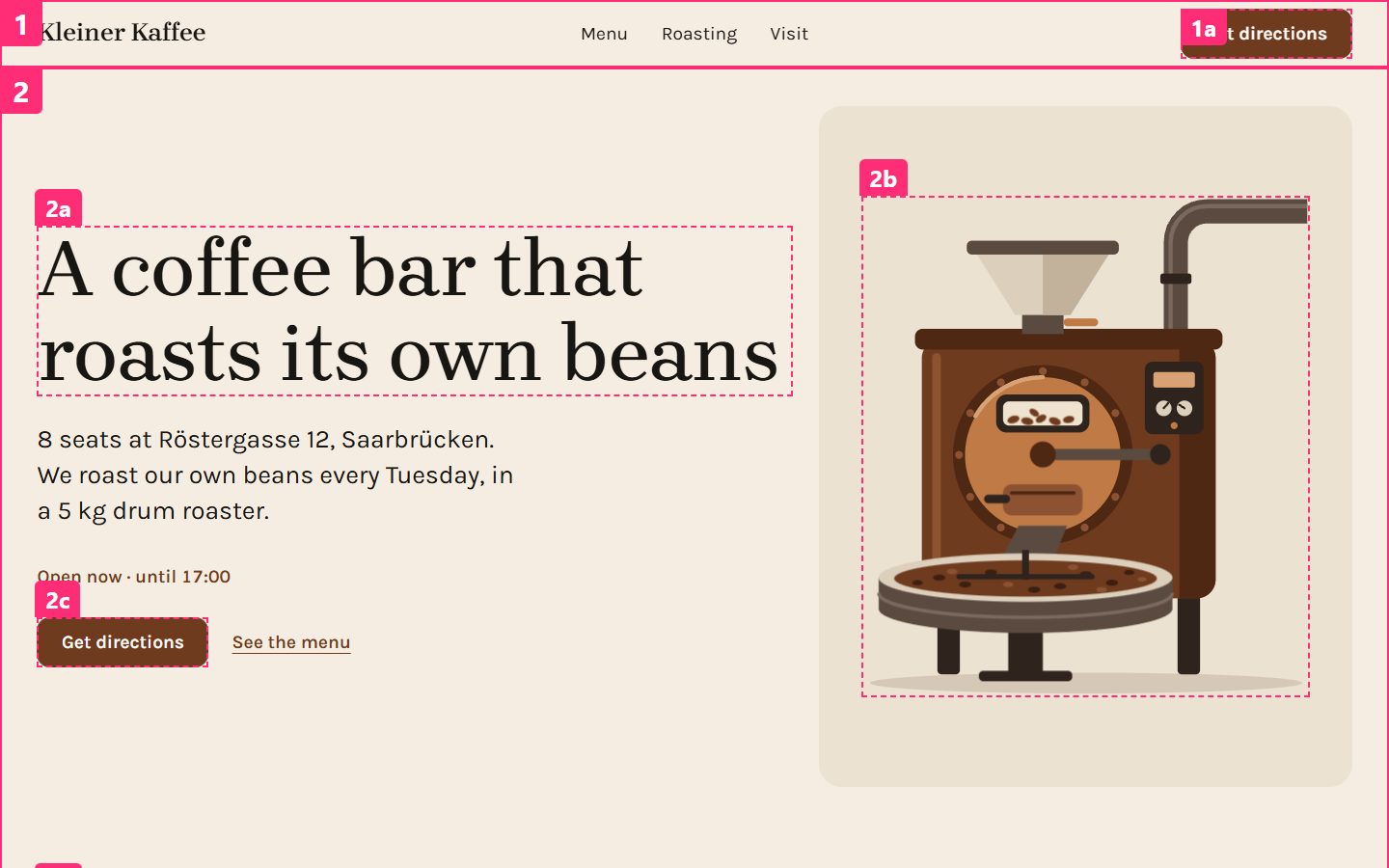
After that it photographed every page at phone, tablet and desktop width and filmed the scrolling, then fixed what was off. A second agent that hadn’t seen any of the work reviewed the site next and wrote down what bothered it most. Those fixes went in too.
-
It audits, then you point.
The run can’t finish until the audit says “Ready to ship”, and you can see the café’s audit here. Then the screenshots come back with small pink numbers on every part, and the owner can write something like “make 2c bigger” instead of describing which bit they mean.
# Audit: Ready to ship.
All clear.
- axe-core on /, /impressum.html and /datenschutz.html: no violations.
- /: first visit 111 KB (JS 1 KB, CSS 5 KB, fonts 54 KB gzipped)
-
It goes online.
You decide where the site lives, and nothing goes up until you say yes. Once it’s online it opens the real address to check it, and it leaves an
EDITING.mdfile that explains how to change things later.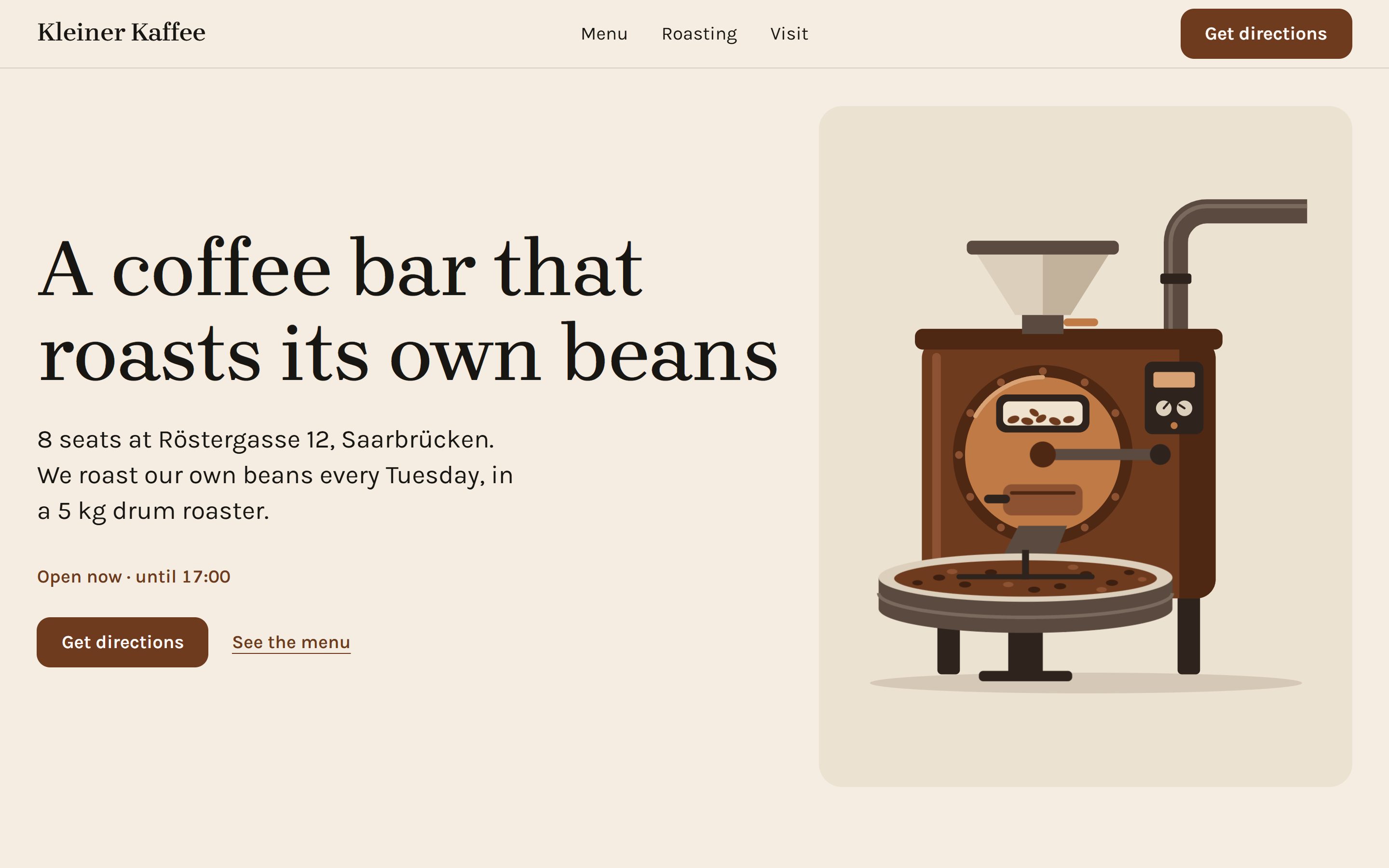
No two of these sites look alike.
Each site came from one run. The address bar shows the answers that run was given, along with a few lines about a made-up business. These are the actual sites running here on the page, so you can scroll inside one or open it in its own tab.
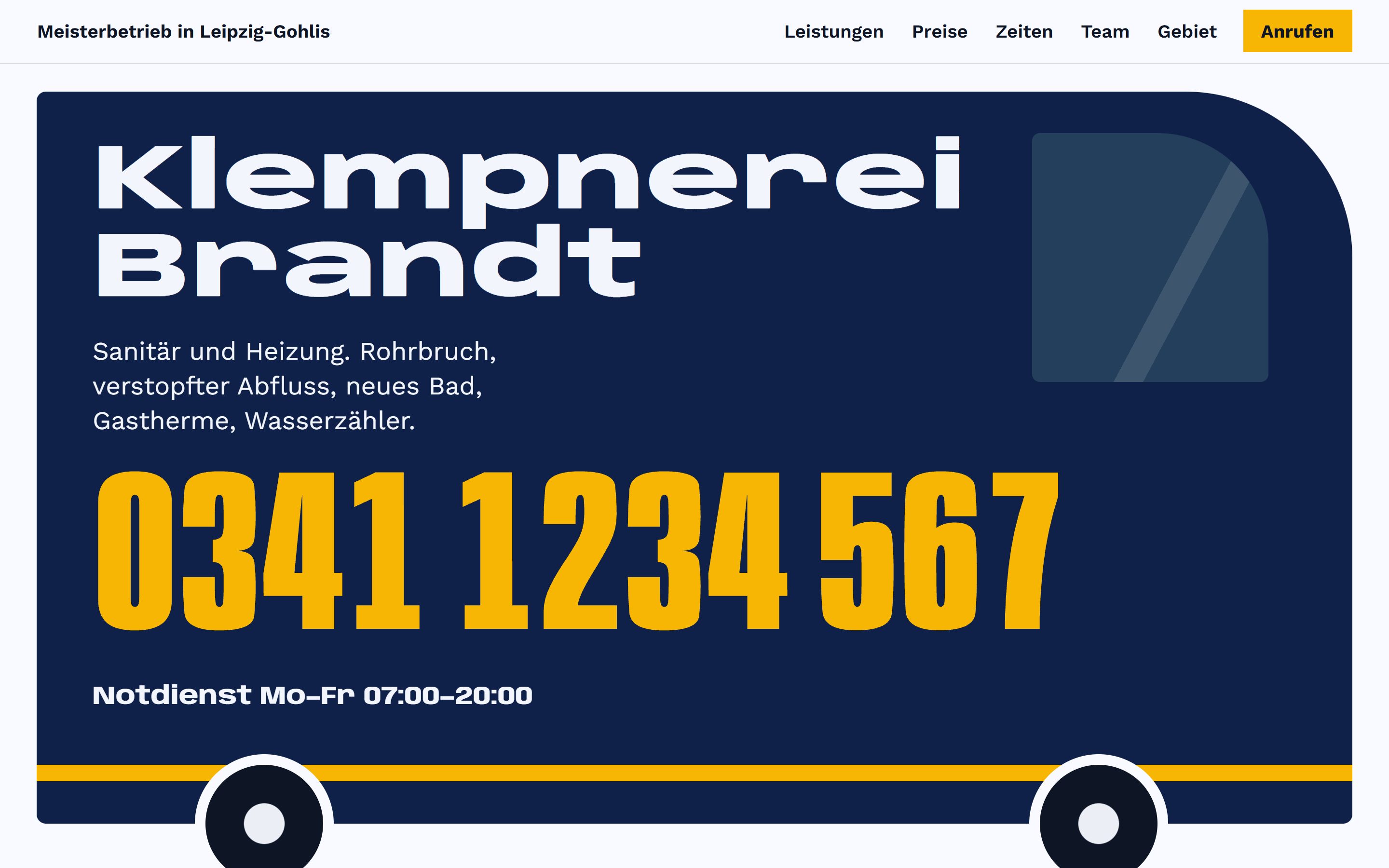
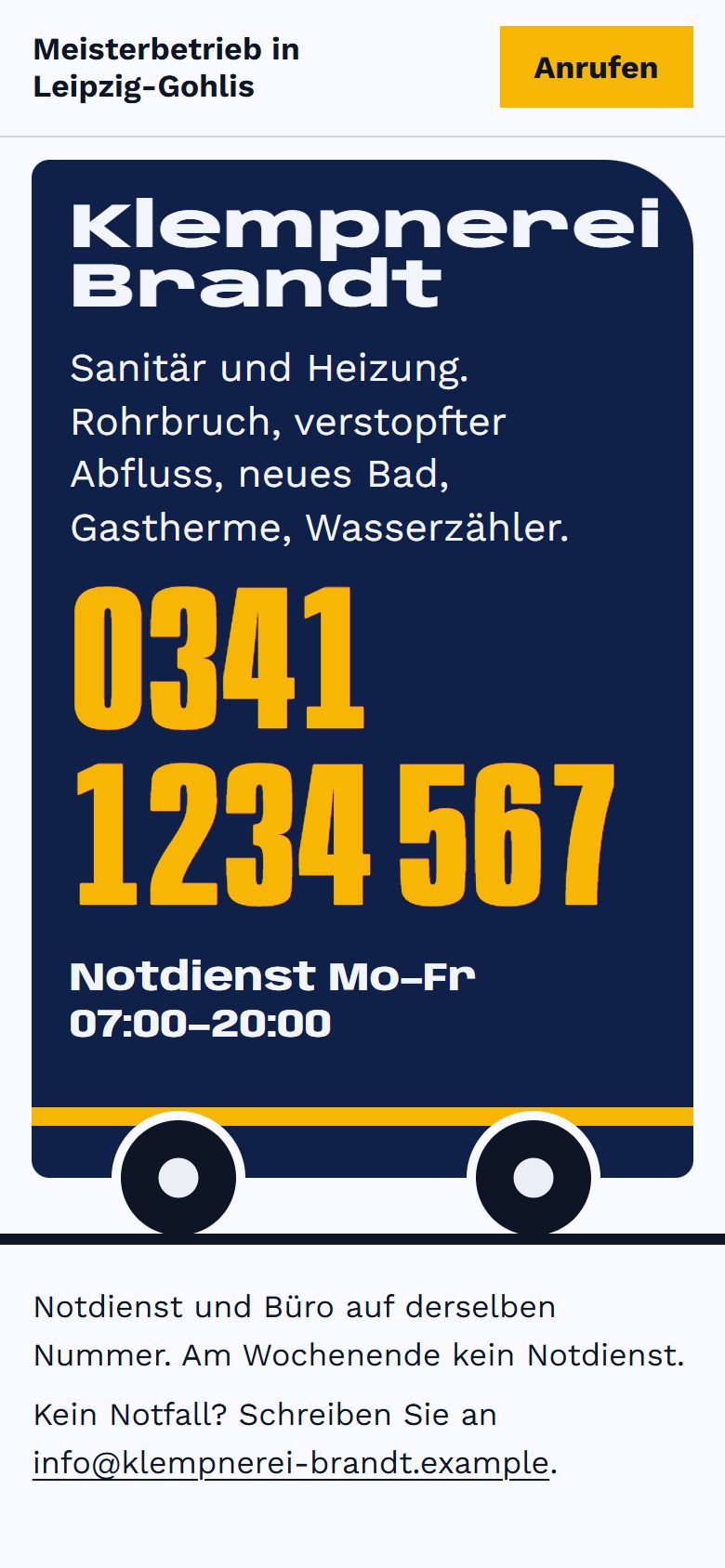
Klempnerei Brandt
A made-up master plumber in Leipzig, with the site in German.
The side of the van became the page. The first screen is a drawn navy van lettered with the name, and the phone number is painted big in traffic yellow: it is the call button. The prices are three oversized numbers, the service area is a ring drawn round Gohlis, and the page ends on the number, not a logo.
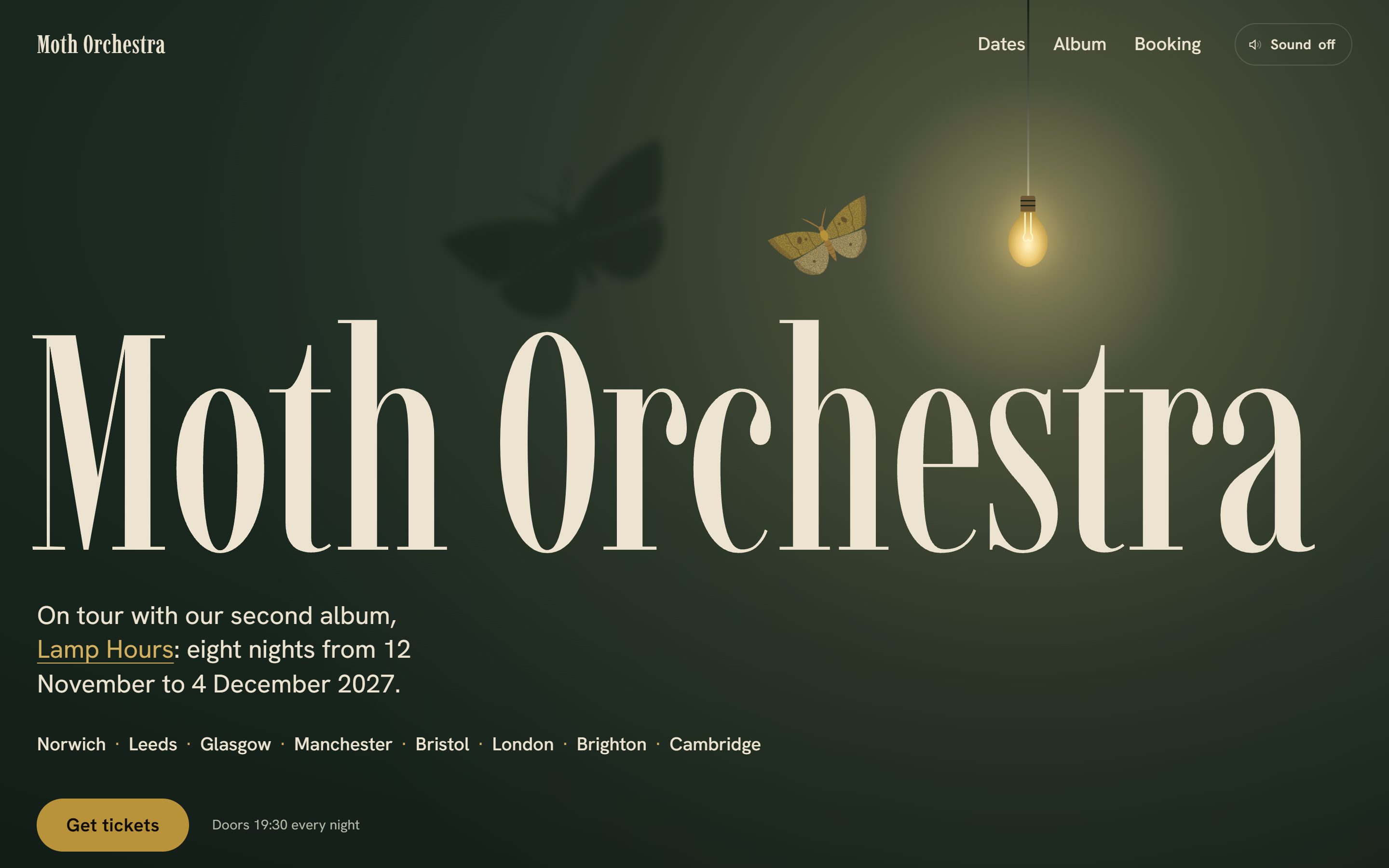
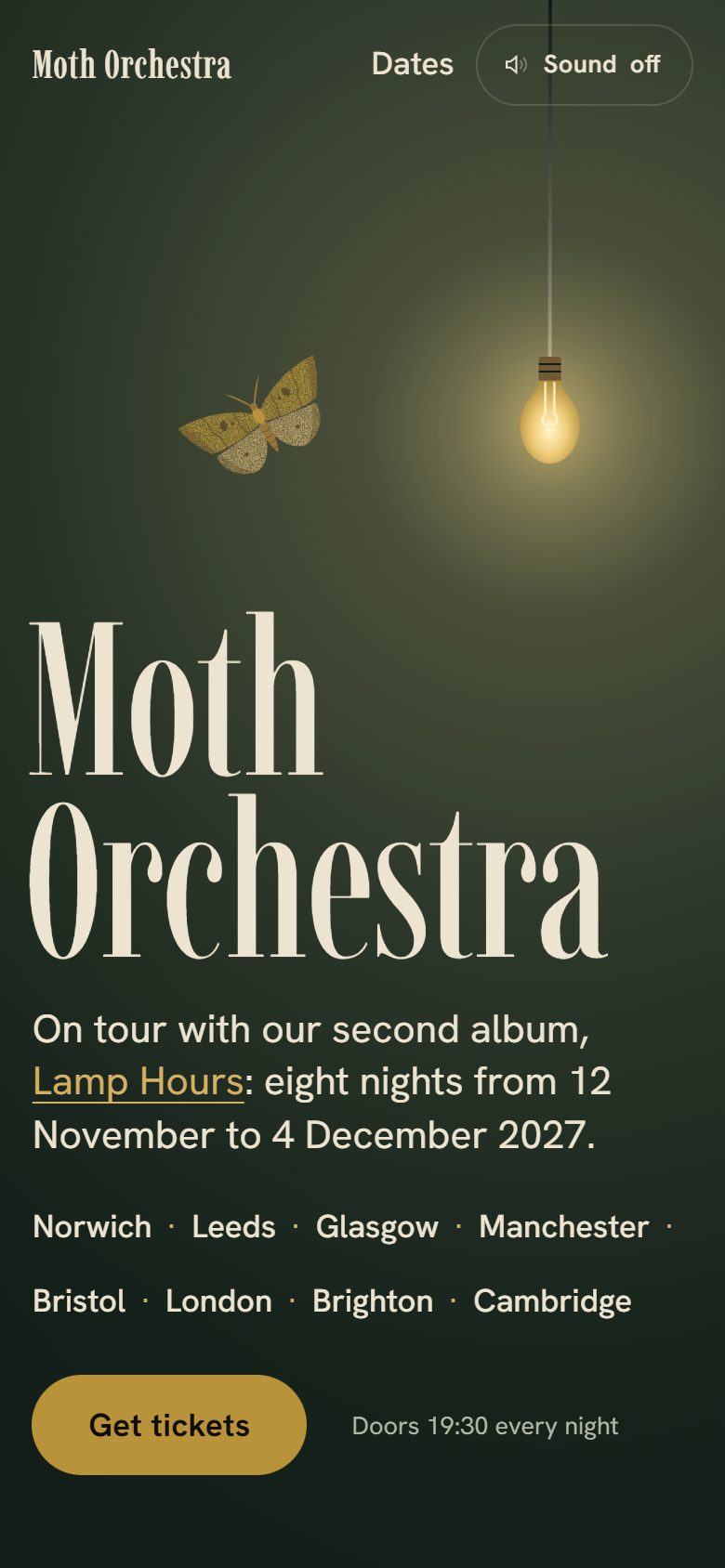
Moth Orchestra
A made-up folk band from Norwich, on a winter tour.
It took the album title literally: a bottle-green room lit by one bare bulb. The ochre moth from the cover circles it, bumps it so it swings, then lands; move the mouse or tap and it follows you, as if you were the light. The last song is a drawn floor plan, the players walking off the stage into the crowd.
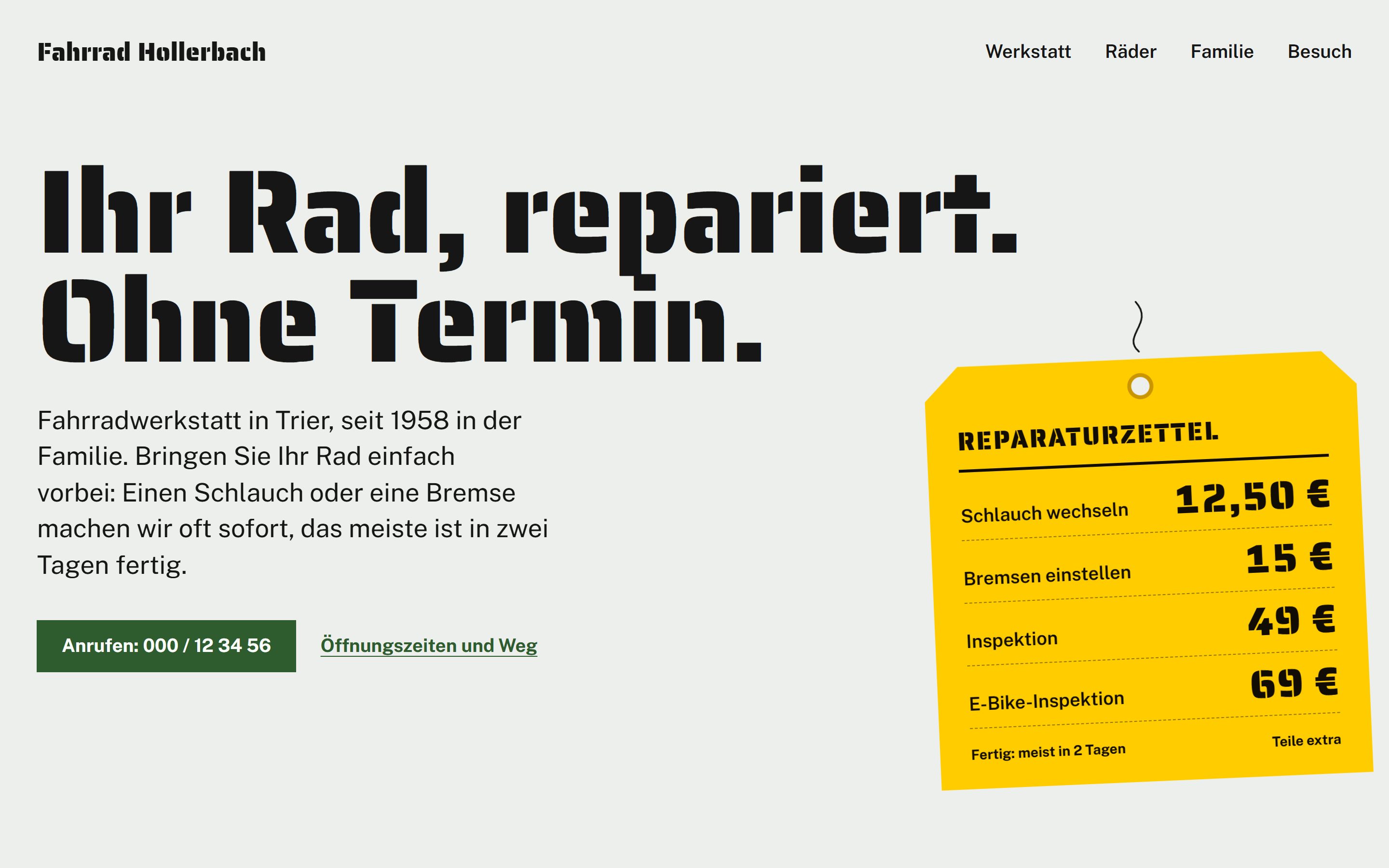
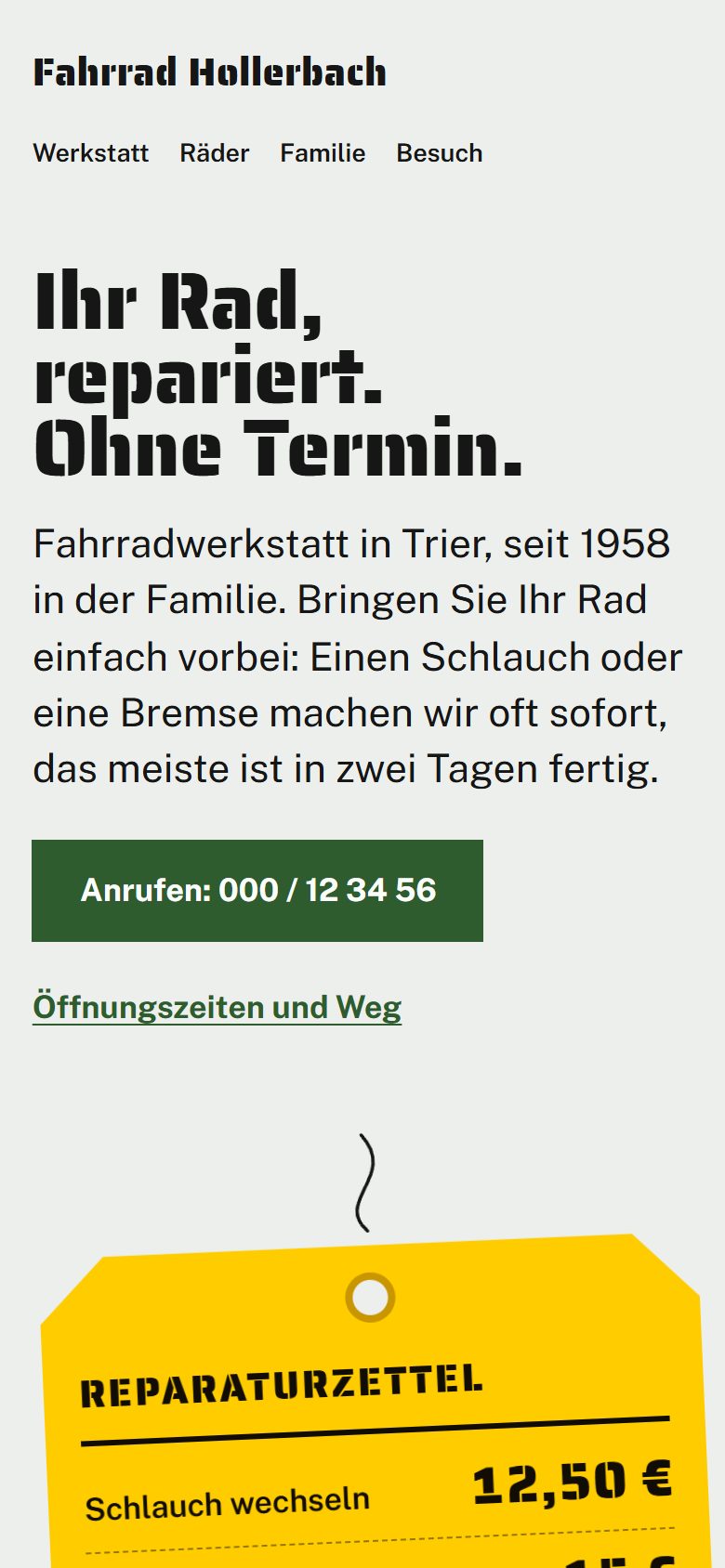
Fahrrad Hollerbach
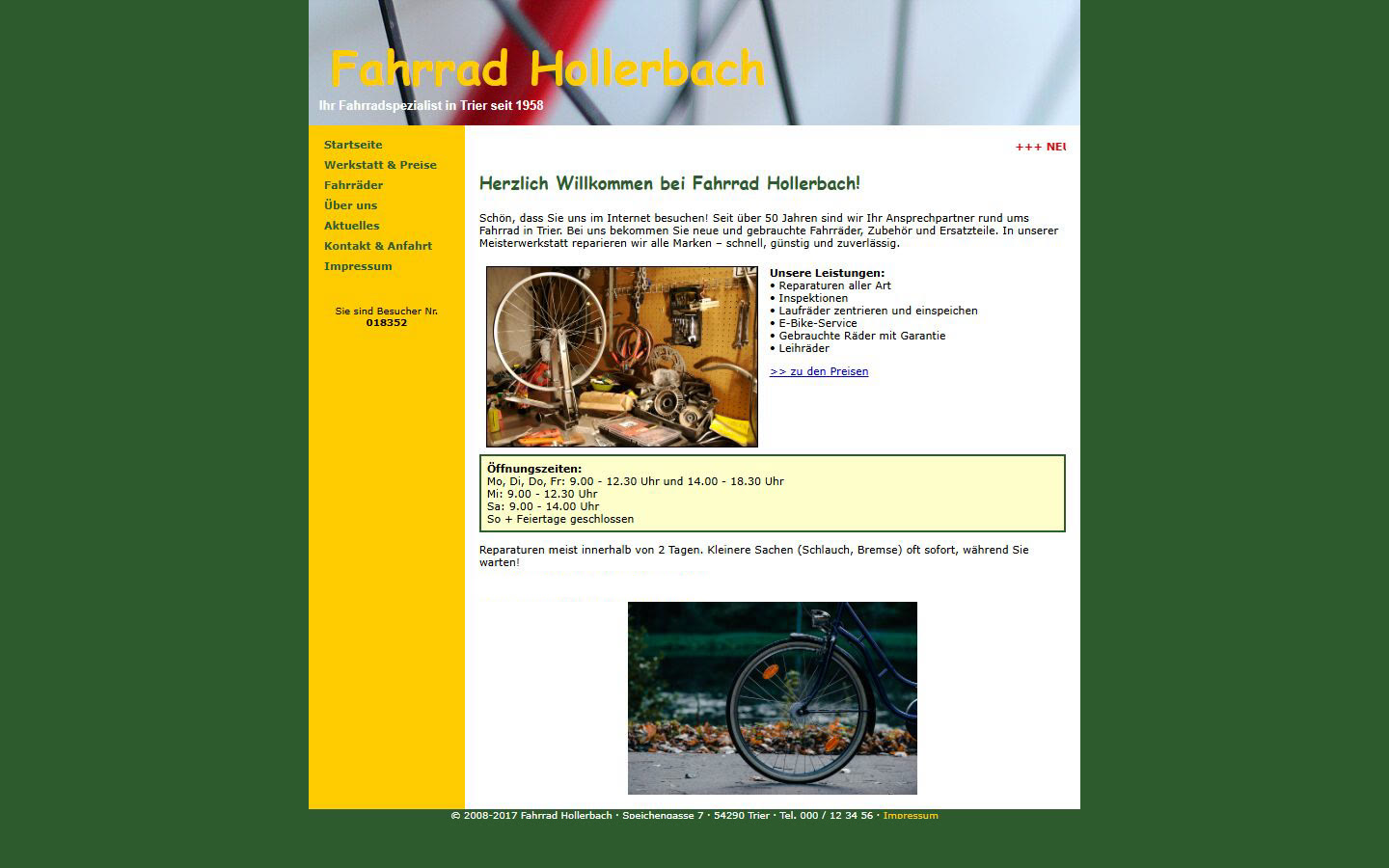
A made-up family bike workshop in Trier, redesigned from its old site.
The repair tag that hangs on every bike in the workshop became the page. The first screen says "Ihr Rad, repariert. Ohne Termin." in stencil letters, with a yellow tag of prices hanging beside it, in the shop's own green and yellow. Every old page became a section, and the old addresses forward to it. The news page, last updated in 2017, went.
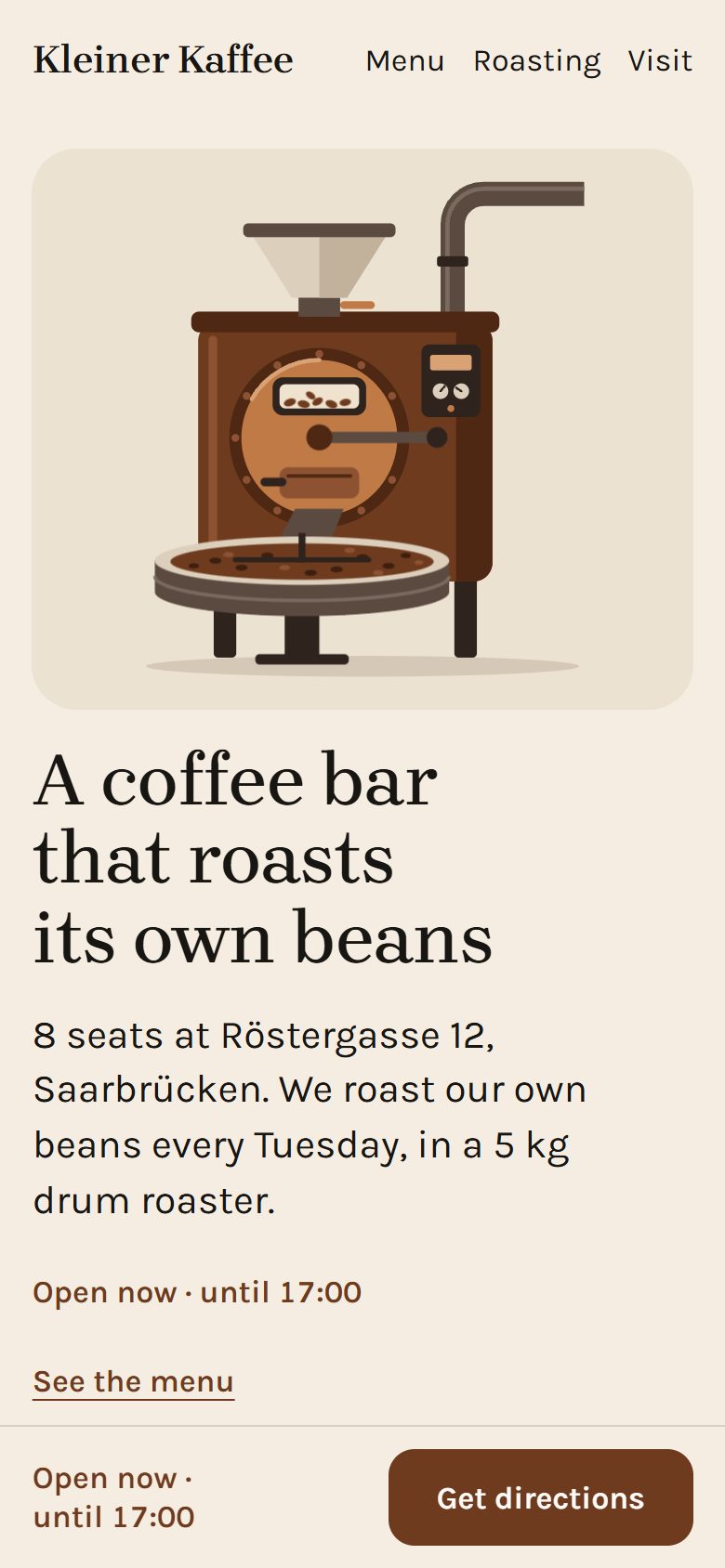
Kleiner Kaffee
A made-up eight-seat coffee bar in Saarbrücken.
Of its three ideas (the roaster on Röstergasse, the menu board over the counter, the eight seats) it kept the roaster, the classic for a Warm brief. The first screen is the 5 kg drum roaster, drawn large beside the headline "A coffee bar that roasts its own beans", with the open-now line, the address and Get directions under it. On a phone the roaster comes first. No photos, so drawings carry the page: each thing on the menu, a bag of their beans in the roast-brown band, and the eight stools along the counter. Roast brown on cream, in Brygada 1918 and Karla.
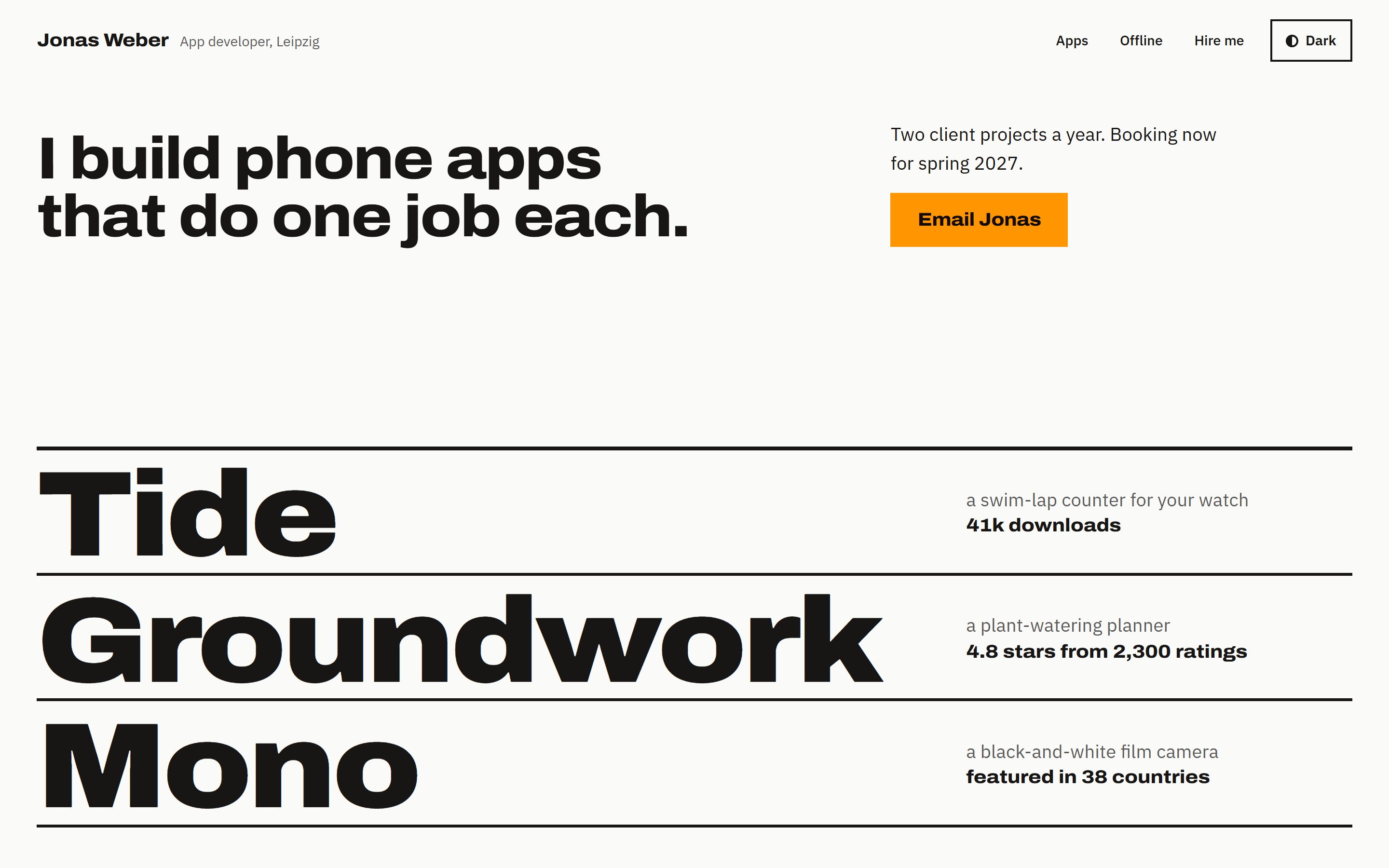
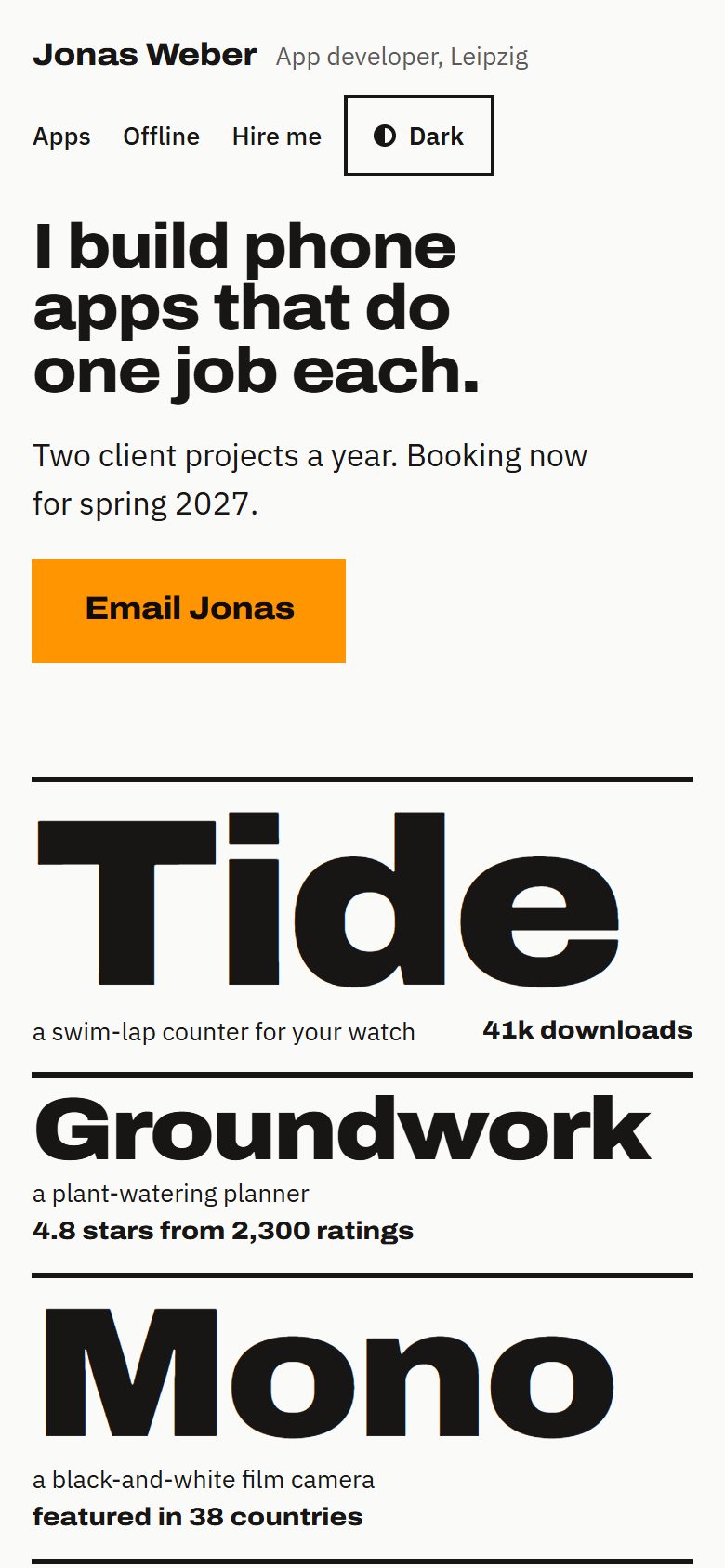
Jonas Weber
A made-up independent app developer in Leipzig.
Under one line, "I build phone apps that do one job each.", the first screen is the three app names at poster size between thick rules, each with its job and its number. Below, each job is drawn: a pool lane with tally marks, a watering week, a film strip. The offline years are one orange band, "Five years of music with no signal.", in the orange of a phone's airplane-mode switch. Then a giant 2, for two client projects a year, next to the email. Black and white with that one orange, in Archivo and IBM Plex Sans, with a light and a dark version.
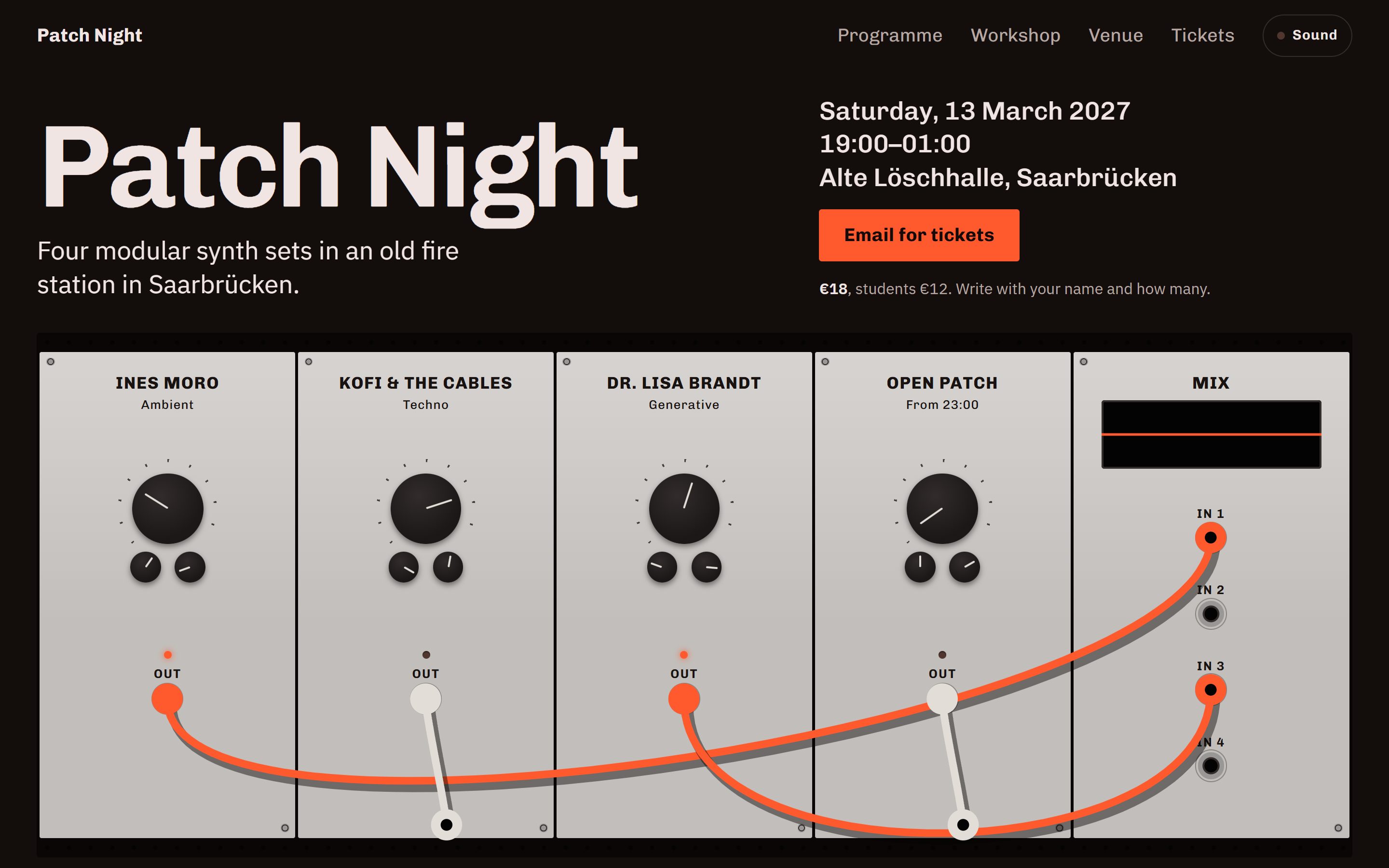
Patch Night
A made-up modular synth evening in Saarbrücken.
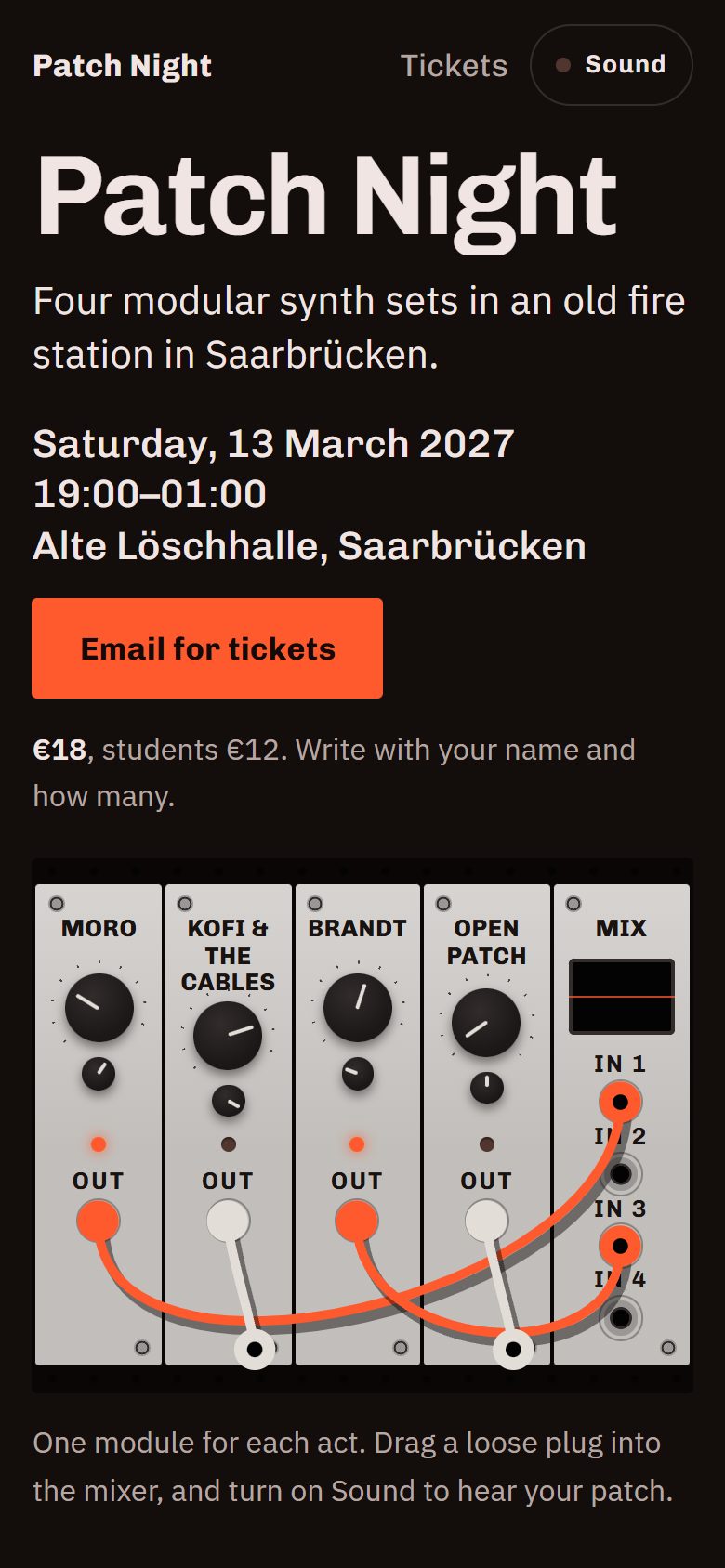
The first screen is a drawn rack, one module per act plus a mixer. The cables drop into place, and you can drag them with a mouse or a finger; a patched act lights up in the programme, and with Sound on, each patched module plays its own voice and the mixer's screen draws it. Signal orange, from a hot patch cable and a fire station's alarm lamp, on near-black, in Chivo and IBM Plex Sans. The page ends on "01:00, last cable out."
Try the questions.
These are the skill’s first four questions, word for word and in the same order. Pick an answer and the next one shows up. At the end you’ll see which of the six sites came from answers closest to yours.
A real run asks two or three more after these, then asks for your text and photos. It won’t ever ask you for hex codes or font names.
Closest of the six
Kleiner Kaffee
In a real run your own name, words and photos go in, and you get a new site made from them.
Give it your old site. Your words and facts stay.
Say “redesign my site” and paste the link. It reads every page first and keeps your text, photos, opening hours and contact details. Its questions are only about the look, and when it’s done you can see each old page next to its new version.
Install it, then say “make me a website”.
-
Install it with one command:
npx skills add Barabosik/one-shot-site -a claude-code Open your agent in an empty folder.
Say “make me a website”.
Every way to install Needs Node 22.12 or newer, git, and Chrome, Edge, Brave or Chromium.
Install one-shot-site
You can install it with npx skills, as a Claude Code plugin, or by copying the folder by hand. Each way puts the same folder where your agent looks for skills.
Any agent recommended
With npx skills, for Claude Code, Codex, Cursor and other agents.
npx skills add Barabosik/one-shot-site -a claude-code-a claude-code (or codex, cursor) names your agent. Without it, the skill can land in a folder for each of about 20 agents. Add -g to install it for every project instead of this one.
Claude Code plugin
Inside Claude Code, one line at a time:
/plugin marketplace add Barabosik/one-shot-site/plugin install one-shot-site@one-shot-siteFrom a terminal it’s the same with claude plugin in front: claude plugin marketplace add Barabosik/one-shot-site, then claude plugin install one-shot-site@one-shot-site.
By hand
Copy one folder, skills/one-shot-site, from the repository:
git clone https://github.com/Barabosik/one-shot-siteClaude Code reads .claude/skills/ in a project and ~/.claude/skills/ for every project. Codex, Cursor, Gemini CLI and GitHub Copilot read .agents/skills/ and ~/.agents/skills/.
What happens next
You need
- Node 22.12 or newer, and git
- Chrome, Edge, Brave or Chromium
- An agent that runs shell commands. Built and tested in Claude Code; others should work but are untested.
It’s free and MIT-licensed. The skill has no server and doesn’t report back to anyone. Source on GitHub
Help make it better.
If a run went wrong for you, please open an issue and tell me what happened. The answers you gave help a lot, and so does the brief from .one-shot/brief.md if you still have it.
Pull requests are welcome once there’s an issue for them, so we can agree on the change first. Each one has to pass npm test on Linux, macOS and Windows. If you change how sites get built, add the examples’ scores from before and after.
Questions before you install
Does it need a server?
No. You get plain static files (HTML, CSS, JavaScript, fonts and pictures) built with Vite and no framework, and every file is yours. GitHub Pages hosts them for free from a public repository, which is the route the tests cover. It can also publish to Vercel, Netlify or Cloudflare, use your own domain, or just hand you the folder.
What leaves my computer?
The skill has no server and doesn’t report back to anyone. Its checks run in your browser, on a copy of the site on your computer. It does need the internet to install Vite, axe-core and the fonts from npm, plus GSAP or three.js when an add-on uses them. The looks are drawn with fonts loaded from Fontsource through cdn.jsdelivr.net. When you have no photos, it searches Openverse or Wikimedia Commons unless you’ve said no, and downloads the ones you pick from wherever they’re hosted. It opens any site you name and tests the site’s outside links. Publishing happens only after you’ve said yes. You log in to your host yourself, and it never handles passwords or tokens. Your agent still sends your messages to its model provider, as it does in any session.
How do I change it later?
Hours, prices and events live in one file, site.json. Tell your agent “we’re closed on the 24th” and it edits that file and checks the screens that changed before it publishes again. Every change is saved in git, so you can undo any one of them.
What does it cost?
The skill is free and MIT-licensed. Your agent costs what it normally costs, and a full run is a long session because the agent looks at a lot of screenshots. GitHub Pages hosts a site like this for free from a public repository. Netlify and Cloudflare have free plans too, and Vercel’s free plan is for non-commercial use, so a domain name is probably the only thing you’d pay for.
Which agents does it work with?
I build and test it in Claude Code. It uses the open Agent Skills format, so Codex, Cursor and other agents that run shell commands can load it, but I haven’t tested those yet. If your agent has a question picker you’ll get clickable choices. Otherwise it’s a numbered list and you reply with “2” or “1,3”.